Integrations
Disposable Email Guard v1
The Disposable Email Guard is a little frontend script that stops disposable email addresses from being used on signup and contact forms in real time. It has a simple design and lets you handle error messages in a customizable way, which makes the user experience smooth. Real emails are quietly sent to your database, while false or temporary emails are banned right away, before the form can be sent.
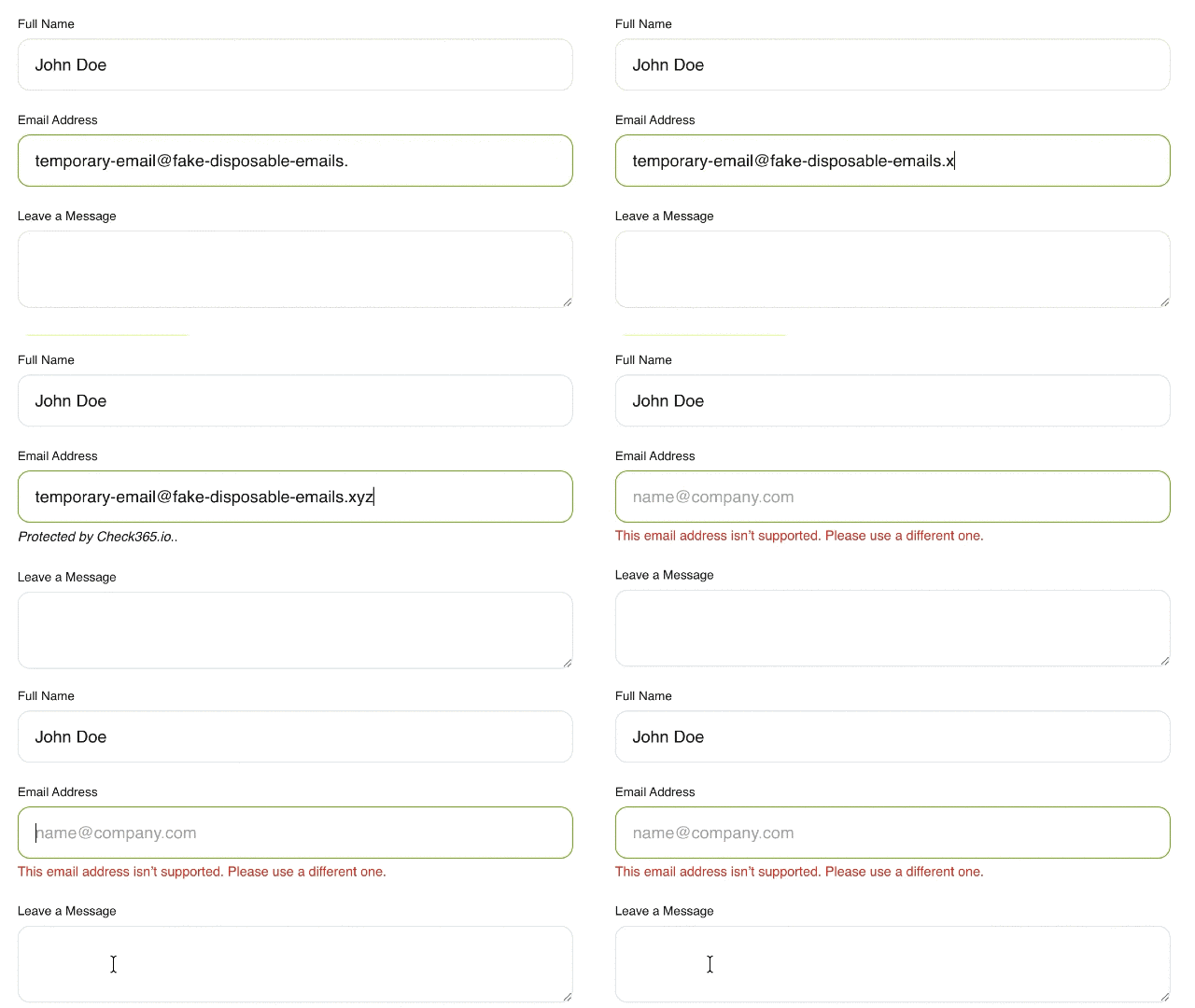
Blocking disposable email in real-time during form entry
Basic installation
Load the SDK script on the page where the form exists, then initialize it after the browser finishes loading the page.
<script src="https://cdn.check365.io/sdk/disposable-guard.v1.0.0.js" defer></script>
<script>
  window.addEventListener("load", function () {
    if (window.Check365Disposable) {
      window.Check365Disposable.init();
    }
  });
</script>
Available options
You can initialize the SDK with a custom error message and optionally direct the error output into your own existing element.
- message: Custom error text shown when a disposable email is blocked.
- errorContainer: Use an element that already exists by its ID, class, or attribute name.
Example with custom message
<script>
  window.addEventListener("load", function () {
    if (window.Check365Disposable) {
      window.Check365Disposable.init({
        message: "Please use a valid non-disposable email address."
      });
    }
  });
</script>
Example with custom error container
<span id="email-error"></span>

<script>
  window.addEventListener("load", function () {
    if (window.Check365Disposable) {
      window.Check365Disposable.init({
        errorContainer: "#email-error"
      });
    }
  });
</script>
Framework usage
In frameworks, there are always two parts: load the script, then call init() after the page, component, or route containing the form has rendered. On first page load, the script is loaded once. On later client-side navigation, call init() again when the new page or component appears.
The script does not need to be reloaded on every route change. It should be loaded once. What must run again is Check365Disposable.init() whenever a newly rendered page, route, modal, or component contains the email form you want to protect.
// app head or page head
useHead({
  script: [
    {
      src: 'https://cdn.check365.io/sdk/disposable-guard.v1.0.0.js',
      defer: true
    }
  ]
})

// page or component
import { onMounted } from 'vue'

onMounted(() => {
  if (window.Check365Disposable) {
    window.Check365Disposable.init()
  }
})
When to call init() again
Call Check365Disposable.init() again whenever your application shows a new form without a full browser reload.
- After client-side route navigation.
- After a component containing the form mounts.
- After opening a modal, drawer, or popup containing an email field.
- After dynamically rendering or replacing part of the page.
- Previous
- Error Codes