Email Etiquette 101: How to Use To, Cc, and Bcc the Right Way
Do you ever wonder if everyone got your email or if someone shouldn't have? A lot of individuals utilize To, CC, and BCC improperly, which might cause difficulties with privacy. If you understand how to use these fields appropriately, a lot can change about how people read and respond to your emails. This is vital since it protects your private information and demonstrates that you are professional and in charge of every message you send.
Email Etiquette 101: How to Use To, Cc, and Bcc the Right Way
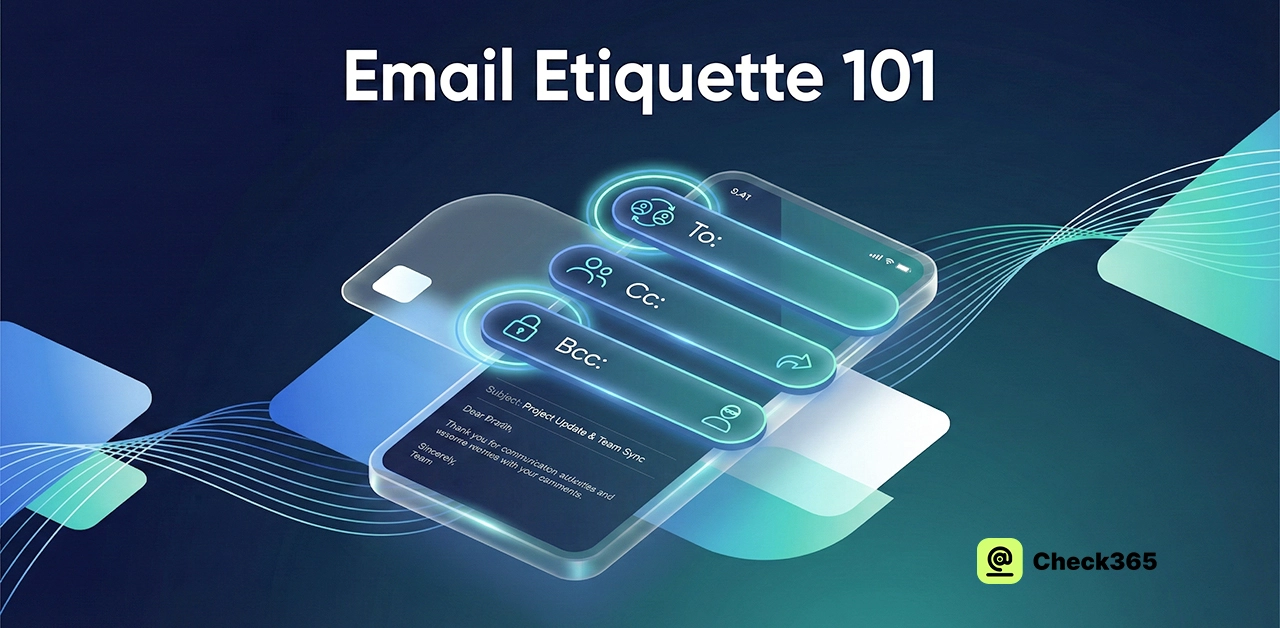
If you want to build trust and make it easy for people to work together, you need to utilize email the right way. Choosing the "To," "CC," and "BCC" fields wisely can influence the tone of your message. This will help you sound clear and in order.
Use the To Field for the Main People
Put their name in the "To" column if you need someone to do anything or give you a clear answer. It's straightforward and makes the person feel that their role is vital. That simple choice frequently makes the talk more amicable and focused.
Use CC for Keeping People in the Loop
The CC field is an excellent way to let folks know about something without them having to respond. This also makes things apparent because everyone can see who is there. CC makes sure that everything is clear and open.
Use BCC for Quiet Updates
BCC is a good way to send information without letting everyone know or keep someone up to date without attracting attention to yourself. It can be helpful in tricky situations, but you should be careful when you use it. A short comment from the wrong person can shift the whole mood of the forum. It keeps the conversation private and under control if you use it appropriately.
Why They Matter
An email can be a short, basic greeting that conveys a lot. Carefully using "To," "CC," and "BCC" makes your communication clearer and less stressful for everyone. It also helps your talk seem more pleasant and real.
Why Proper Email Etiquette Matters in 2026?
People seek clear answers and rapid responses in a digital environment that is already quite congested. That's why proper email etiquette is even more vital in 2026. A well-written email might help keep things in order instead of making them worse, as most people feel that their email is a mess these days. A lot of good communication also helps teams avoid little problems that can easily grow into major ones that cause delays. And since so many jobs entail both in-person and remote meetings, it's more crucial than ever to write well.
People feel respected and not rushed when they get a well-written letter. People really appreciate it when you act professionally in minor ways, like using CC or BCC on purpose and saying the appropriate thing. Being polite also makes people believe you because your message seems honest and well thought out. It helps your thoughts stand out the most in long posts and short replies. In 2026, having good email habits won't just be "nice to have." They are things that people do every day to get along better and keep work moving.
What Happens If Someone Replies to a BCC Email?
When you respond to a BCC email, your reply goes straight to the writer. Others can't see their answer, which keeps things straightforward. However, it might be difficult for a time if they didn't know they were BCC'd in the first place. The sender sometimes wonders if the reply will show that the person was added by mistake.
No matter what, everything stays private unless the person who answers adds more individuals to the chat. Their comment doesn't disclose the whole list of recipients, therefore the original privacy is still safe. This setup can let you tell someone something without being too obvious about it. Still, you should be careful when utilizing BCC because a surprising reply might affect the whole tone of the conversation.
Common Email Etiquette Mistakes and How to Avoid Them
People often make mistakes when they send emails, such as not putting a clear subject line or sending enormous attachments without notice. You can avoid these problems by keeping the subject line explicit, sending the email just to particular persons, using a polite tone, and compressing huge attachments. People also get puzzled if you don't say hello or use language that isn't clear. Check everything for mistakes before you send it. These small details show that you are a professional and make your emails easier to read. Email etiquette saves time and makes a positive impression on clients and coworkers.
Frequently Asked Questions (FAQs)
Can I Use Both Cc and Bcc in Email?
In the same email, you can use both CC and BCC. A lot of people do this to keep things tidy, in fact. With CC, you can prove that you're open by letting everyone know who is involved. When you need it, BCC protects someone's information. But be careful with either one because the wrong one can make things hard to understand. Before you send, consider how well you know each person. Here are some mistakes to avoid when doing CC and BCC.
How Many People Should Be in the “To” Field?
Only insert the names of people who need to respond or do something in the "To" field. Having too many names can be hard to understand. Most teams are small so that conversations keep on topic and are respectful. When you include everyone, it loses its strength. Put other folks in CC instead if they only need information. This simple step keeps your email clear and makes everyone feel like they are being seen.
Is It Unprofessional to Bcc in Email?
BCC isn't always nasty, but it depends on what you're trying to do. People may feel suspicious and lose trust when you share information privately using BCC. But BCC is helpful when you want to keep someone's information safe or share news without making a big deal out of it. A lot of businesses rely on it for private affairs. If you utilize it honestly, your message won't come across as chilly or buried.
Final Verdict
You can talk to people more clearly and professionally when you know how to use email correctly. CC lets people know without making things unclear, and using the "To" box correctly helps ensure that the right individuals do what needs to be done. BCC helps keep things orderly and private when you send big mails. These little habits show you care and help you prevent misunderstandings. Thoughtful email habits might help you make a good impression and save time. These practices make it easy to read and understand every communication.